Tax Software can achieve 100% data import reliability
1. Industry-Standard JSON File Import
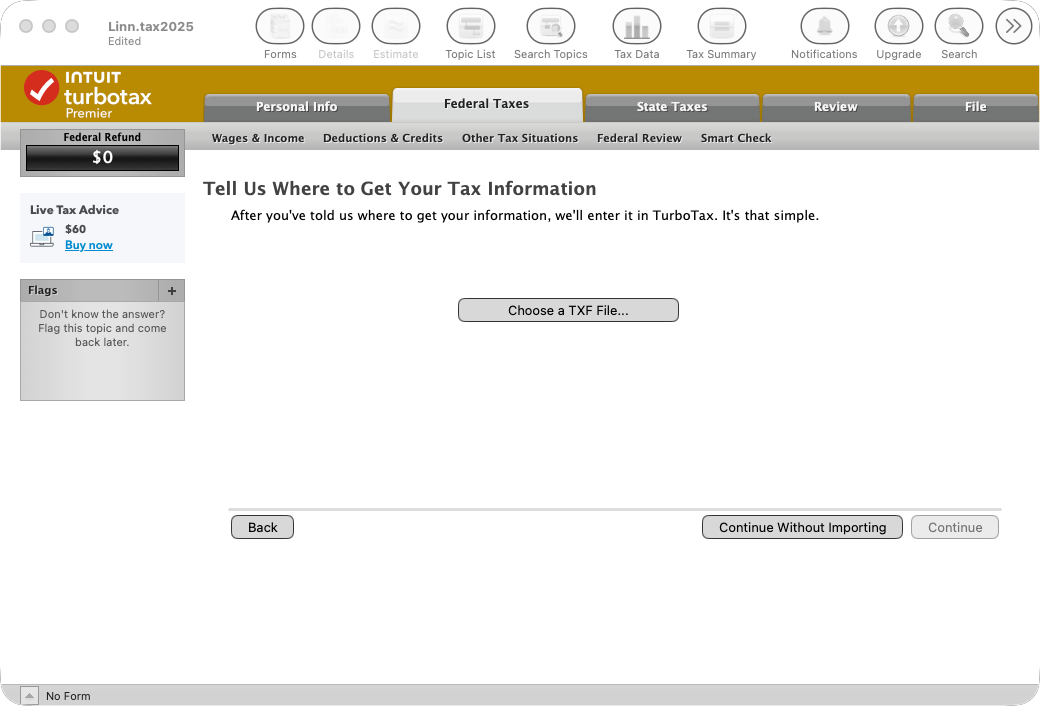
Supplement TXF (Tax Exchange Format) file import with JSON file import in desktop tax software and add JSON file import to online tax software.
- Popular desktop tax software applications support TXF file import even though the TXF standard has not been updated since 2013.
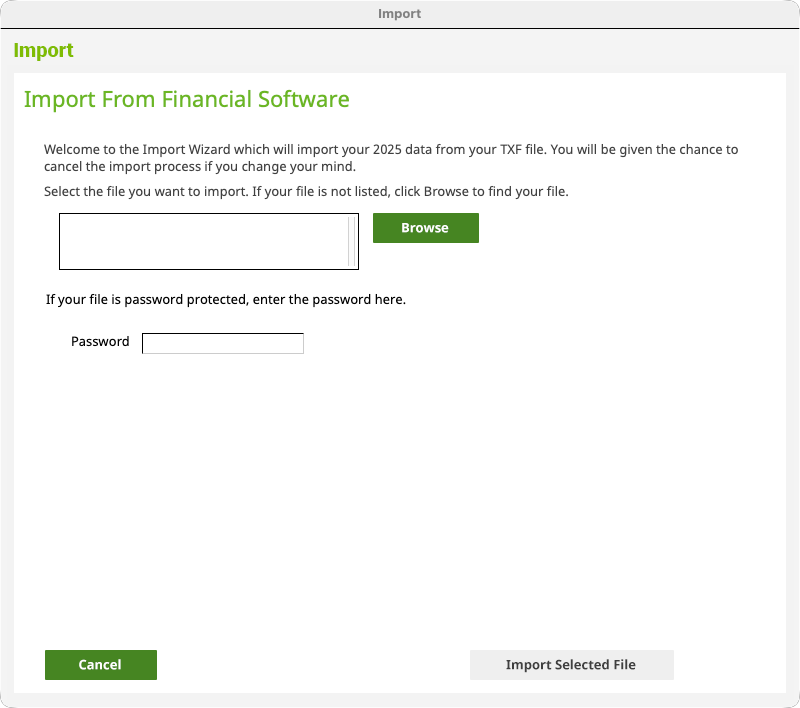
- The Financial Data Exchange (FDX) standard setting organization has defined standards for JSON representation of over 50 tax documents.
- The FDX JSON standard is up-to-date and includes support for newer forms such as 1099-DA, 1098-VLI, and 5498-TA.
FDX Tax Schema and Model Files
A copy of the FDX tax schema files (yaml) and related model files in csharp, java, python, ruby, and typescript languages are available at this private GitHub repository:
https://github.com/iTipsDev/fdx-tax-schema-v6.6.0
We will make this repository available to developers implementing Financial Data Exchange (FDX) JSON in their applications. Just send your GitHub user email and company name to info@taxdataexchange.org to be granted access.
- JSON documents are simple to produce and simple to consume. Download sample JSON documents.
- If you need assistance processing JSON documents, contact us.
2. PDF with Embedded JSON File Import
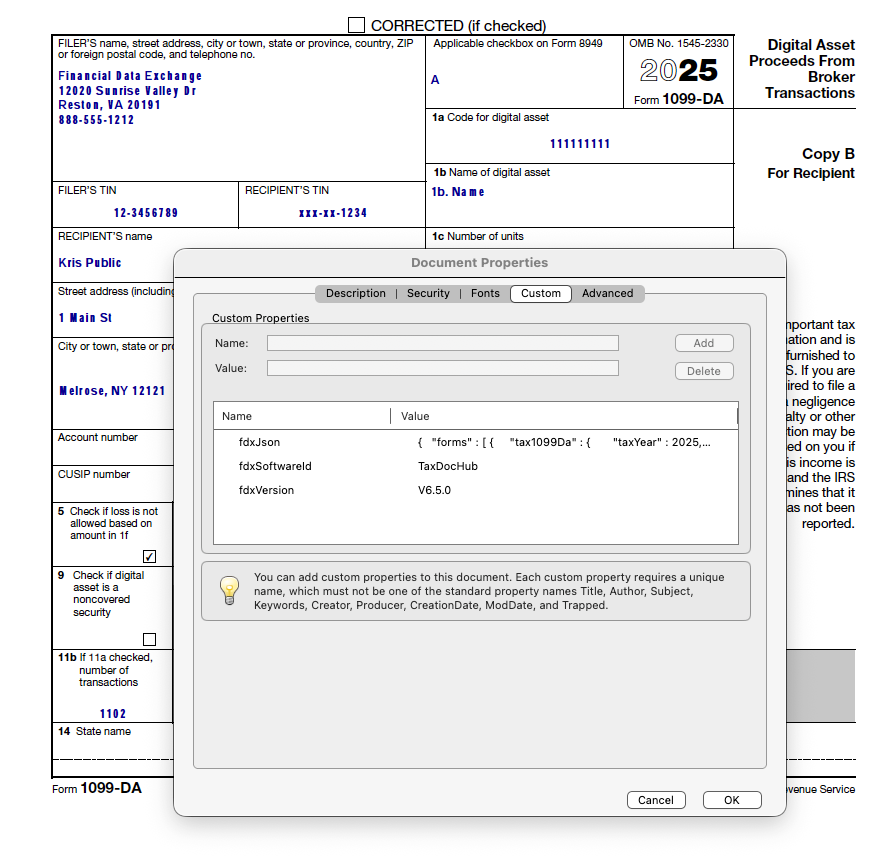
Inspect uploaded PDF files for embedded JSON in "Document Properties".
Example Intelligent Tax Document
Example Java code
import org.apache.pdfbox.pdmodel.PDDocument;
import org.apache.pdfbox.pdmodel.PDDocumentInformation;

import java.io.File;

public class PdfFdxJsonReader {

    private String fdxJson;
    private String fdxVersion;
    private String fdxSoftwareId;

    public String getFdxJson( ) {
        return fdxJson;
    }

    public String getFdxVersion( ) {
        return fdxVersion;
    }

    public String getFdxSoftwareId( ) {
        return fdxSoftwareId;
    }

    public void read( String pdfInFilePath ) {

        try (
            PDDocument document = PDDocument.load( new File( pdfInFilePath ) );
        ) {

            PDDocumentInformation info = document.getDocumentInformation( );
            if ( info == null ) {
                return;
            }

            this.fdxJson = info.getCustomMetadataValue( "fdxJson" );
            this.fdxVersion = info.getCustomMetadataValue( "fdxVersion" );
            this.fdxSoftwareId = info.getCustomMetadataValue( "fdxSoftwareId" );

        } catch ( Exception e ) {

            System.out.println( e.getMessage( ) );

        }

    }

}
3. Industry-Standard REST API Import
Join the
Tax Data Exchange Network
and
retrieve tax data via API from network members.
Simple JSON Payload
- Returns FDX TaxStatement object as application/json. Download sample payloads.
Document Credentials
- The FDX standard provides for authentication using document credentials in lieu of user credentials.
- Document credentials are shown on the tax document to be imported and consist of two pieces of data that, between the two pieces, identify the document and are difficult to guess.
- The two pieces are known as "document id" and "document code"
-
In the example below the document id is
6199514461372416and the document code is36059831
Simple REST Interface Using HTTP GET Request
curl --request GET \
  --location "https://host-domain-here/fdx/v6/tax-forms/6199514461372416" \
  --header "Accept: application/json" \
  --header "X-ApiKey: api-key-here" \
  --basic --user 6199514461372416:36059831
- See also /docs/fdx/v6.6.0/paths/getTaxForm_get.html for more technical information.
- Contact us at info@taxdataexchange.org for API access to the test documents listed below.